Posts

[SOLVED] Firefox opens blank pages intead of URL

Problem When trying to open an URL with Firefox (eg. via File Manager of Mail Reader), Firefox opens a blank page or your homepage (if it's set to something other than blank) instead of the URL. This situation has been reported and confirmed as a bug (bug #1427144 on launchpad). Solution It seems that the problem is in the file /usr/share/xfce4/helpers/firefox.desktop , and replacing the last line fixes it. Fix You can fix it manually (1) or just run the command (2) that creates a backup and automatically replaces the broken line. Manual : Open /usr/share/xfce4/helpers/firefox.desktop with your favorite text editor and root permissions (eg. sudo mousepad /usr/share/xfce4/helpers/firefox.desktop ). Then replace the following line: X-XFCE-CommandsWithParameter=%B -remote "openURL(%s)";%B %s; With this one: X-XFCE-CommandsWithParameter=%B %s;%B %s; Automatic : Open a terminal window and run: cd /usr/share/xfce4/helpers/ && sudo cp fi...

[TIP] Convert jpeg to PDF

In this article we'll learn how to create a PDF file from a bunch of jpeg images (it can be adapted for other image types as well). Install First we need to install the imagemagick package, so open a terminal window and run: sudo apt-get install imagemagick -y Convert Then change the current directory to where the images are located and use this command to convert to PDF: convert *.jpeg output.pdf Change output.pdf to whatever name you like/need.

[NEWS] Xubuntu 14.10 Released!

Image
Xubuntu 14.10 Utopic Unicorn has been released. No big news to report, but here's some changes/highlights: New Xfce Power Manager plugin is added to the panel Items in the newly themed alt-tab dialog can now be clicked with the mouse pkexec instead of gksu XChat removed and Inxi added to default installed applications. Get it here. You can download the new Xubuntu via Torrent or HTTP. If possible choose Torrent to not overload the servers. References Xubuntu 14.10 released! | Xubuntu.org

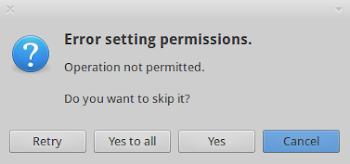
[SOLVED] Thunar Error Setting Permissions

Image
Problem When copying or moving files to a NTFS partition an annoying error message about setting permissions is shown. The files are still copied/moved. Solution This can be easily fixed by adding uid=1000 to your mounting options in /etc/fstab . Open fstab with root permissions: sudo mousepad /etc/fstab (replace mousepad with the command for your favorite text editor). Find the line corresponding to your NTFS partition (see example bellow for help). Add uid=1000 after umask=007 , use commas (again see example). Example How it looks by default: # /media/Data was on /dev/sdb6 during installation UUID=702907667255DAFB /media/Data ntfs defaults,umask=007,gid=46 0 0 After adding uid=1000 : # /media/Data was on /dev/sdb6 during installation UUID=702907667255DAFB /media/Data ntfs defaults umask=007, uid=1000 ,gid=46 0 0

[SOLVED] Thunar Slow Startup

Problem Thunar takes several seconds to open when it's run for the first time on the session. Solution Open a terminal window and run this command: sudo sed -i 's/AutoMount=true/AutoMount=false/' /usr/share/gvfs/mounts/network.mount References [SOLVED] Thunar slow to start under xfce 4.10

[HOW TO] Install Silverlight Plugin in Xubuntu

Updated: 13 Nov 2016 In this article we'll learn how to install the Silverlight Plugin in Xubuntu (tested in Firefox and Xubuntu 14.04). We'll install Pipelight, which is a plugin that allows to view Silverlight videos in Ubuntu which is needed to use services as Netflix or MEO Go. Install Open a terminal window and run: sudo add-apt-repository ppa:pipelight/stable -y && sudo apt-get update && sudo apt-get install pipelight -y && sudo pipelight-plugin --update && sudo pipelight-plugin --enable silverlight && sudo pipelight-plugin --create-mozilla-plugins Usage Restarting your browser after installing and grant permission to run the plugin when the browser asks for it. References Install Silverlight alternative Pipelight in Ubuntu 14.04

[NEWS] Ubuntu 13.10 Support Ended

The official support for Ubuntu 13.10, and its derivatives, ended July 17, 2014 (9 months after its release). So it will no longer receive system updates. If you are still using Xubuntu 13.10 it's recommended that you upgrade to Xubuntu 14.04, which is long term supported. Here I described how to upgrade from 12.10 to 13.04, but the instructions are the same to upgrade 13.10 to 14.04. References Time to Upgrade: Ubuntu 13.10 Support Ends Today