Install Oracle VM VirtualBox in [X]Ubuntu/Debian (ppa)
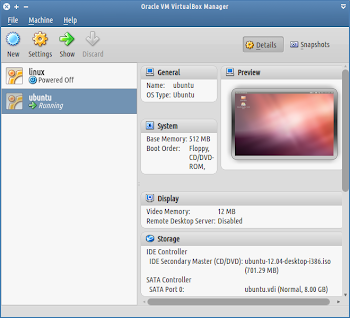
Oracle VM VirtualBox (formerly Sun VirtualBox, Sun xVM VirtualBox and innotek VirtualBox) is an virtualization software package that's installed on an existing host operating system as an application; this host application allows additional guest operating systems, each known as a Guest OS, to be loaded and run, each with its own virtual environment. Install Open a terminal window and run: # 1 sudo sh -c "echo deb http://download.virtualbox.org/virtualbox/debian `lsb_release -a | egrep -i codename | awk '{print $2}'` contrib > /etc/apt/sources.list.d/virtualbox.list" # 2 wget -q http://download.virtualbox.org/virtualbox/debian/oracle_vbox.asc -O- | sudo apt-key add - # 3 sudo apt-get update && sudo apt-get install virtualbox virtualbox-qt virtualbox-guest-additions-iso -y # 4 sudo usermod -a -G vboxusers $USER References VirtualBox 4.1.14 for Linux VirtualBox at Wikipedia Ubuntu – Distribution Agnostic Virtualbox Auto...