Posts

Showing posts with the label Graphics

[SOLVED] gTthumb Could not save the file

Image
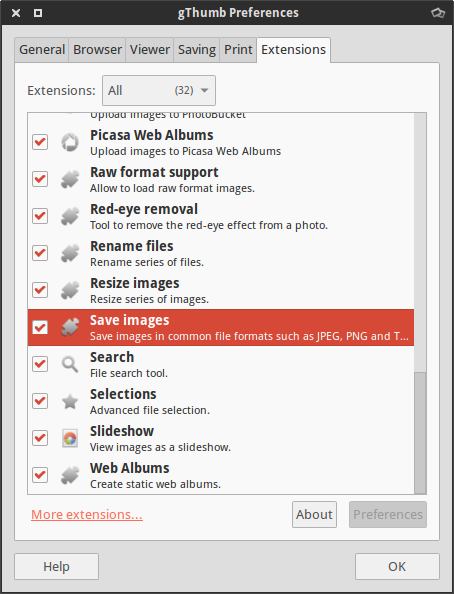
Symptom After editing a image, gThumb can't save the modifications and displays this error message (it could happen to jpeg as well): Could not save the file Could not find a suitable module to save the image as "image/png" Solution Open gThumb preferences ( Edit > Preferences ). On the Extensions tab enable the "Save images" extension.

[HOW TO] Install lastest Krita in Xubuntu from PPA

Image
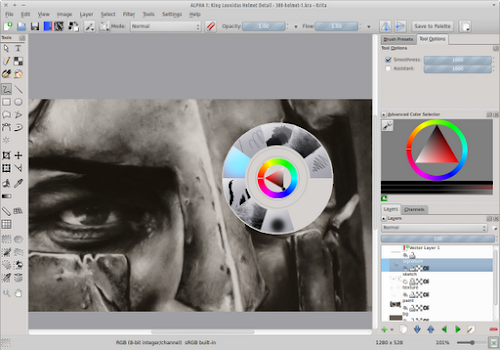
In its essence Krita is a software for drawing (you can see some examples at the top of this site's right sidebar). Krita development is on constant motion and the official Ubuntu packaging can keep up. If you would like to try the latest Krita enhancements without the hassle of compiling it yourself from source, see below how to. Install from Krita Lime PPA Open a terminal window and run: sudo add-apt-repository ppa:dimula73/krita -y && sudo apt-get update && sudo apt-get install krita-testing krita-testing-dbg -y After installing you should restart your computer. Usage Krita can be accessed via Applications Menu > Graphics >Krita or typing the following command: krita . References Krita got a PPA : Krita Lime

[HOW TO] Install Inkscape in Xubuntu (ppa)

Image
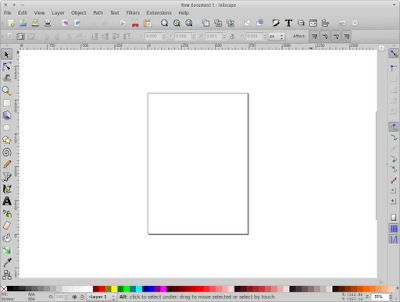
Inkscape is an Open Source vector graphics editor, with capabilities similar to Illustrator, CorelDraw, or Xara X, using the W3C standard Scalable Vector Graphics (SVG) file format. Inkscape supports many advanced SVG features (markers, clones, alpha blending, etc.) and great care is taken in designing a streamlined interface. It is very easy to edit nodes, perform complex path operations, trace bitmaps and much more. We also aim to maintain a thriving user and developer community by using open, community-oriented development. Some great Inkscape tutorials can be found: here . At FlossManuals there's a Inkscape manual that introduces the program basics. And there's also a "Getting Started Guide" available here , written by Bethany Hiitola. Install Open a terminal window and run: sudo apt-get install inkscape -y References Inkscape. Draw Freely
Optimize PNG file size with optipng

optipng is an advanced optimization program for Portable Network Graphics (PNG). It optimizes PNG files, reducing their size without losing any information. Install Open a terminal window and run: sudo apt-get install optipng -y Optimize optipng provides more advanced usages, but to reduce the image size, simply invoke optipng with the image name as its argument. The modification is done in place, ie, the changes are applied directly to the image without creating a backup (if you wish to keep a backup supply the -keep option). Example: optipng image.png References optipng(1) - Linux man page A guide to PNG optimization

Install Krita in Xubuntu 12.04 (ppa)

Image
Krita (Swedish word that means chalk or crayon) is a KDE program for sketching and painting which provides a start-to-finish solution for creating digital art. Krita explicitly supports the following fields of painting: concept art, creation of comics and textures for rendering. I've been using Krita for some time (see here what I've done with Krita) and my experience is very good: it has a "easy to paint" interface; lots of useful resources (brush engines, brush presets, gradients, textures...); tools for drawing (including geometric shapes), selection tools, tools for transforming selections, etc. It also has some image manipulation features like image scaling/cropping and effect filters, so I don't have to use another program (like GIMP) to perform this adjustments. Even though it's a KDE application it works very well on Xubuntu. Its installation will use some disk space (about 300MB for the version available in the Ubuntu repository and 500MB ...

[HOW TO] Openraster (*.ora) thumbnails for Nautilus in Xubuntu 12.04

Image
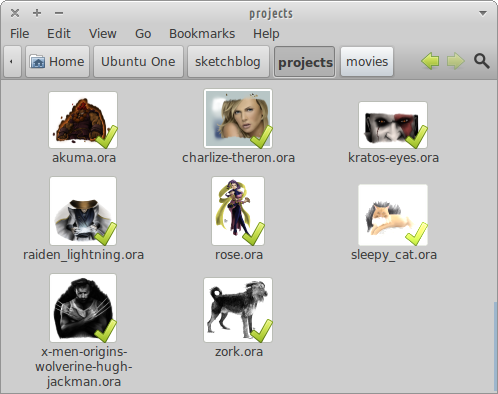
OpenRaster is a file format proposed for the common exchange of layered images between raster graphics editors. It is the default working file format for MyPaint , and it's also supported by application such as GIMP and Krita . Install I created a simple python script (adapting this one , written by David Revoy) that creates the file thumbnail, then all it's needed is the thumbnailer to call the script. Open a terminal window and run: wget -q http://goo.gl/cbXjm -O- | sudo tee /usr/local/bin/openraster_thumbnailer.py wget -q http://goo.gl/nlODH -O- | sudo tee /usr/share/thumbnailers/openraster.thumbnailer sudo chmod +x /usr/local/bin/openraster_thumbnailer.py Related Posts Video Thumbnails for Nautilus in Xubuntu 12.04 Xcf thumbnails for Nautilus in Xubuntu 12.04 References OpenRaster at Wikipedia Krita kra file thumbnailer for Gnome,Nautilus (Linux)

[HOW TO] Tablet pressure sensitivity in Gimp

Image
To get pressure sensitivity, open the "Configure Input Devices" dialog ( Edit > Input Devices ) and then set the mode for each tablet device (usually there're 3: stylus, eraser and cursor|touch) to Screen . Related Posts Install GIMP 2.8 in Xubuntu 12.04 (ppa) [HOW TO] Xcf thumbnails for Nautilus in Xubuntu 12.04 Enable Single-Window Mode in Gimp 2.8

[HOW TO] Xcf thumbnails for Nautilus in Xubuntu 12.04

Image
Xcf is the native file format of the Gimp image editing program. Install To get xcf thumbnails in Nautilus, the gnome-xcf-thumbnailer has to be installed. Then a custom thumbnailer is placed in /usr/share/thumbnailers . Open a terminal window and run: sudo apt-get install gnome-xcf-thumbnailer -y wget -q http://goo.gl/qdhC7 -O- | sudo tee /usr/share/thumbnailers/xcf.thumbnailer Related Posts Install GIMP 2.8 in Xubuntu 12.04 (ppa) Video Thumbnails for Nautilus in Xubuntu 12.04 Openraster (*.ora) thumbnails for Nautilus in Xubuntu 12.04 References Generating Thumbnails for Nautilus using Gimp XCF thumbnailer doesn't work

[HOW TO] Refresh fonts in Gimp without restarting

Image
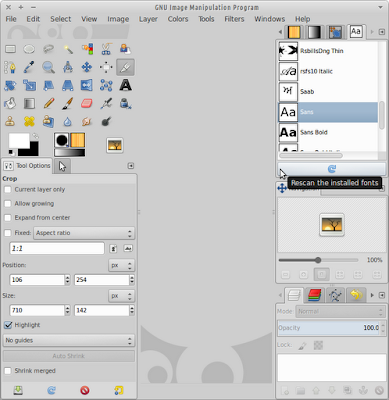
On startup Gimp loads its own fonts (~/.gimp-X.Y/fonts) and system installed fonts. But there's a way of refreshing the font list without having to restart Gimp. First the "Fonts" dialog must be enabled: Windows > Dockable Dialogs > Fonts Then just use the refresh button positioned on the bottom of the "Fonts" dialog: Related Posts Enable Single-Window Mode in Gimp 2.8 Install GIMP 2.8 in Xubuntu 12.04 (ppa) References Fonts Dialog - Gimp Documentation

[HOW TO] Enable Single-Window Mode in Gimp 2.8

Image
In Gimp 2.8 a new Single-Window mode were introduced, however it's not enabled by default. It can be enabled selecting Windows > Single-Window Mode . Gimp 2.8 in Single-Window Mode Related Posts Install GIMP 2.8 in Xubuntu 12.04

Install GIMP 2.8 in Xubuntu 12.04 (ppa)

Image
GIMP 2.8 is the new version of the "GNU Image Manipulation Program" and is equipped with a wealth of new features. Here's some highlights: Single-Window mode Layer Groups On-Canvas Text Editing Brush Dynamics System Improvements Cage Transform Tool Improved UI for tablet users You can also see a video review done by Nixie Pixel: Install Open a terminal window and run: sudo add-apt-repository ppa:otto-kesselgulasch/gimp -y && sudo apt-get update && sudo apt-get install gimp -y Related Posts Enable Single-Window Mode in Gimp 2.8 Xcf thumbnails for Nautilus References otto06217 - GIMP PPA GIMP 2.8 RELEASE NOTES

Install latest MyPaint in [X]Ubuntu (ppa and git)

Image
MyPaint is a fast and easy open-source graphics application for digital painters. It lets you focus on the art instead of the program. You work on your canvas with minimum distractions, bringing up the interface only when you need it. In the screenshot is the MyPaint interface with some subwindows opened (Brush List Editor, Color Triangle and Layers). Hit tab to hide the subwindows or F11 for fullscreen mode and then it'll be only you, the brush and the canvas :p Please visit my sketch blog (Wilson's Sketch Blog) to see what I've done with MyPaint (besides the portrait of Marion Cotillard in the screenshot). Install Bellow are provided instructions for installing MyPaint via ppa and git. Choose git you want the latest version of MyPaint (I recommended it), but unfortunately you won't get automatic updates, so instruction are provided also for updating. Open a terminal window for typing the following instructions. ppa - Xubuntu 11.10 Ubunt...