[HOW TO] Backup with Déjà Dup in Xubuntu
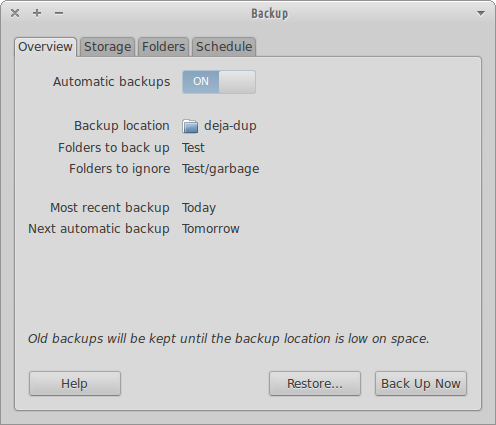
Déjà Dup is a simple backup tool. It hides the complexity of backing up the Right Way (encrypted, off-site, and regular) and uses duplicity as the backend. Install Open a terminal window and run: sudo apt-get install deja-dup -y Usage Déjà Dup can be accessed via Applications Menu > System > Backup or typing the following command: deja-dup-preferences . On the Overview tab a summary of your backup settings is displayed and have options to enable automatic backups, restore a backup or perform a backup. On the Storage tab you can choose a location for your backups. It can be a remote location. On the Folders tab you can choose what folders to backup and what folders to ignore. On the Schedule tab you can choose the backup frequency (Daily, Weekly, Every 2 Week, Monthly) and the old backups removal policy (keep backups at least a month, two months, three month, six months, a year or forever). Backup ...