[HOW TO] Install Grub Customizer in Xubuntu
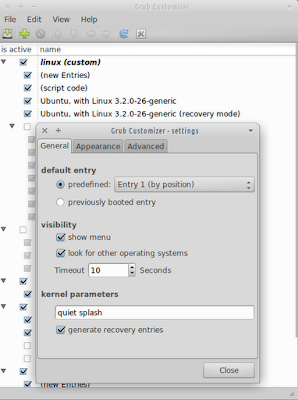
Grub Customizer is a graphical grub2 settings manager. It allows the configuration of the boot entry list, default entry, visibility timeout, foreground/background colors, resolution and some other boot parameters. Grub Customizer running on Xubuntu 12.04 Install Open a terminal window and run: sudo add-apt-repository ppa:danielrichter2007/grub-customizer -y sudo apt-get update && sudo apt-get install grub-customizer -y Usage Grub Customizer can be accessed via Applications Menu > System > Grub Customizer or typing the following command: grub-customizer . It'll prompt for authentication before running. References Grub Customizer - a graphical grub2 settings manager Launchpad PPA for Grub Customizer